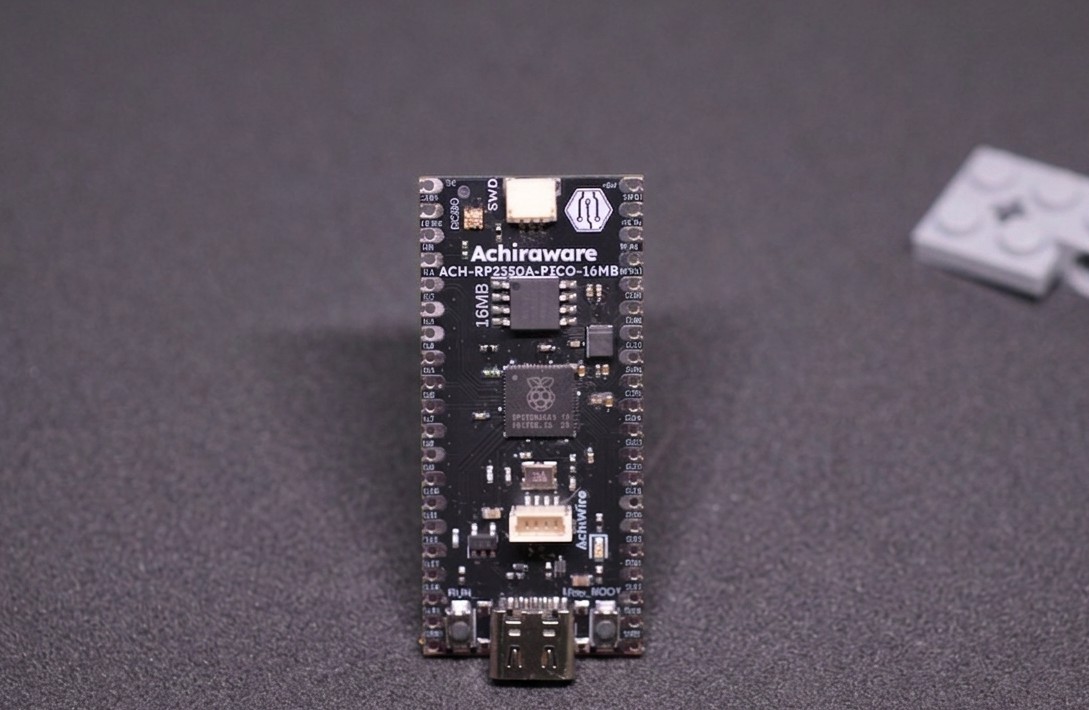
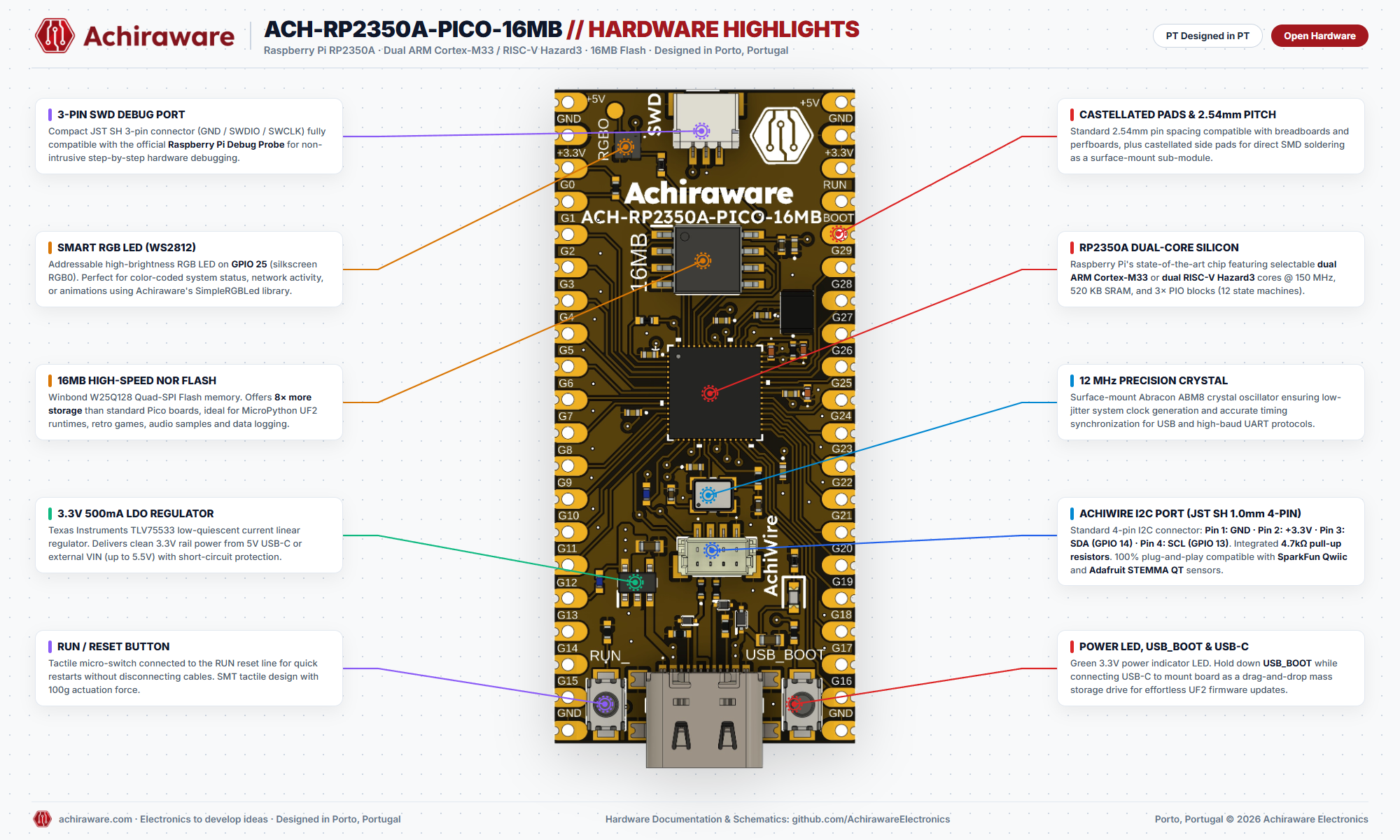
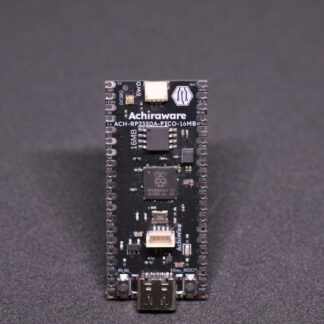
Development board built around the RP2350A — Raspberry Pi’s dual-architecture chip. Choose between ARM Cortex-M33 and RISC-V Hazard3 cores at runtime. 16MB Flash. Hand-assembled in Portugal.
Technical specifications
- MCU: RP2350A
- CPU: Dual-core ARM Cortex-M33 or RISC-V Hazard3 @ 150 MHz
- Flash: 16 MB
- SRAM: 520 KB
- PIO: 3× Programmable I/O state machines
- USB: USB-C (power + programming)
- AchiWire port: JST SH 1.0mm 4-pin · GND / +3.3V / SDA / SCL · compatible with Qwiic and STEMMA QT
- Logic level: 3.3 V
- Supply: 5 V via USB-C
Pre-flashed firmware included. I2C cable in the box. Designed in Porto, Portugal.
Description
Development board built around the RP2350A — Raspberry Pi’s dual-architecture chip that lets you switch between ARM Cortex-M33 and RISC-V Hazard3 cores at runtime. 16MB Flash. Designed and hand-assembled in Portugal.
Microcontroller
- RP2350A: dual-core ARM Cortex-M33 or RISC-V Hazard3 @ 150MHz
- 16MB external Flash
- Programmable I/O (PIO) — hardware-level custom protocols
- Hardware security: signed boot, OTP fuses
Board features
- Castellated holes + 2.54mm through-hole headers — use on breadboard or solder directly onto your PCB as a module
- JST SH 1.0mm I2C connector — compatible with Qwiic (SparkFun) and STEMMA QT (Adafruit)
- Addressable RGB LED (GPIO 25, WS2812)
- USB-C — power and programming
- LDO voltage regulator 1A — power from 5V USB-C or up to 5.5V on VIN
- All available GPIO broken out
- Approximately 50 × 30mm · Designed in PT
In the box
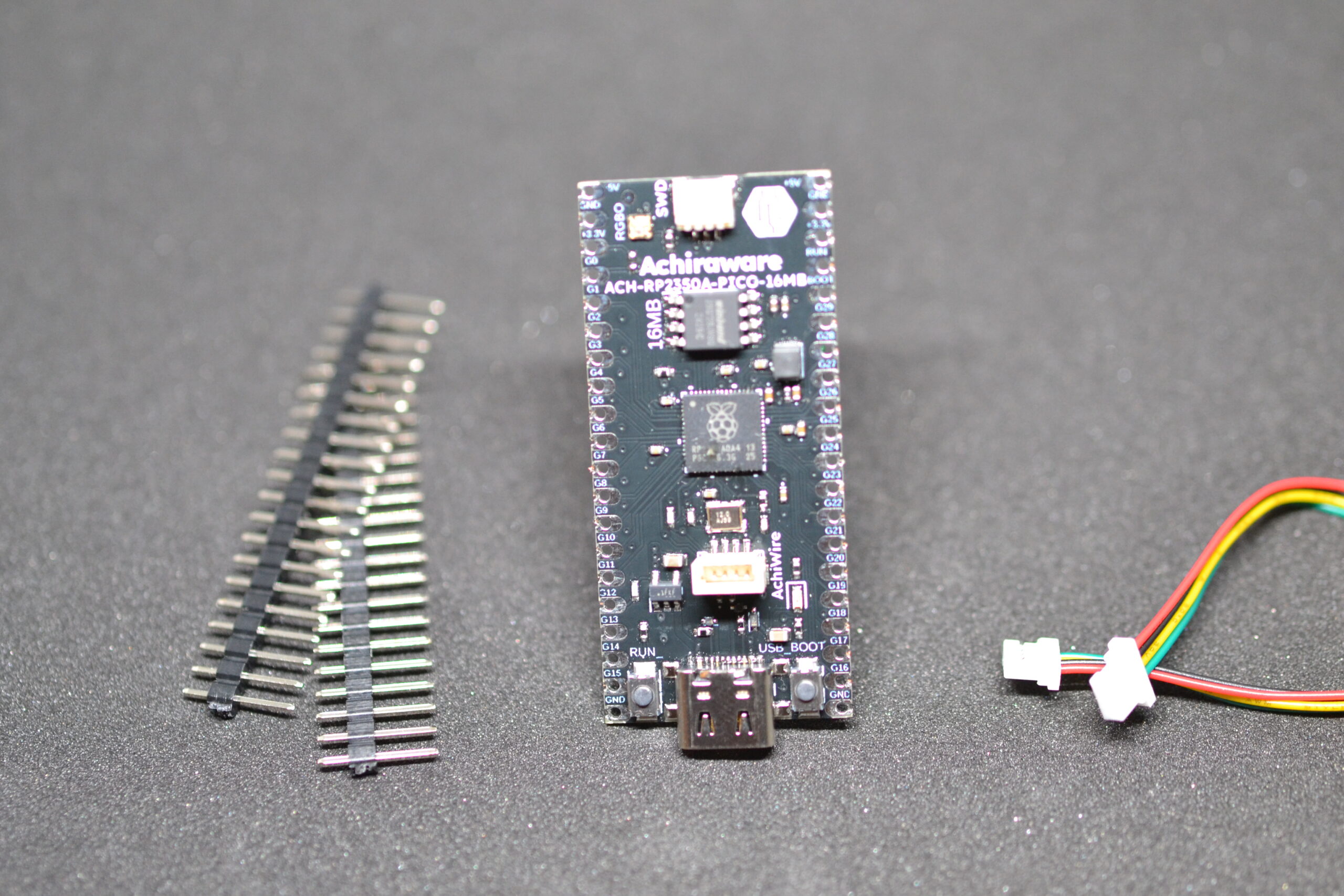
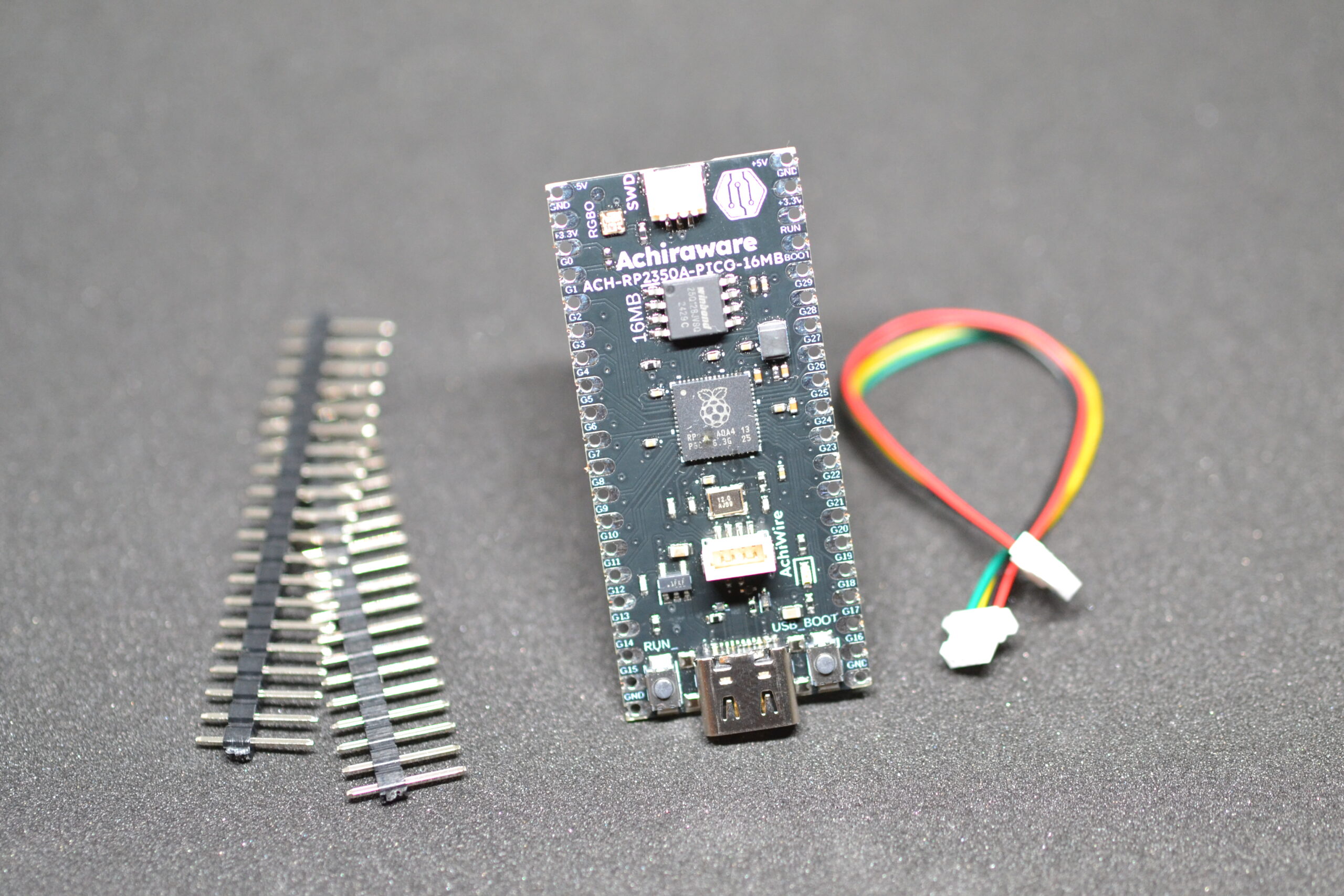
- ACH-RP2350A-PICO-16MB board
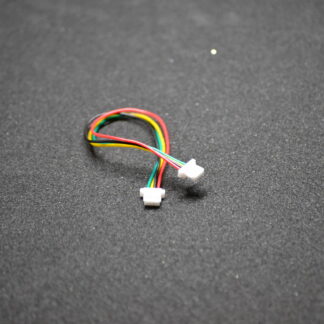
- JST SH 1.0mm 4-pin I2C cable
- 2.54mm male headers
Compatible with: Pico SDK · Arduino framework · MicroPython · CircuitPython · Zephyr RTOS
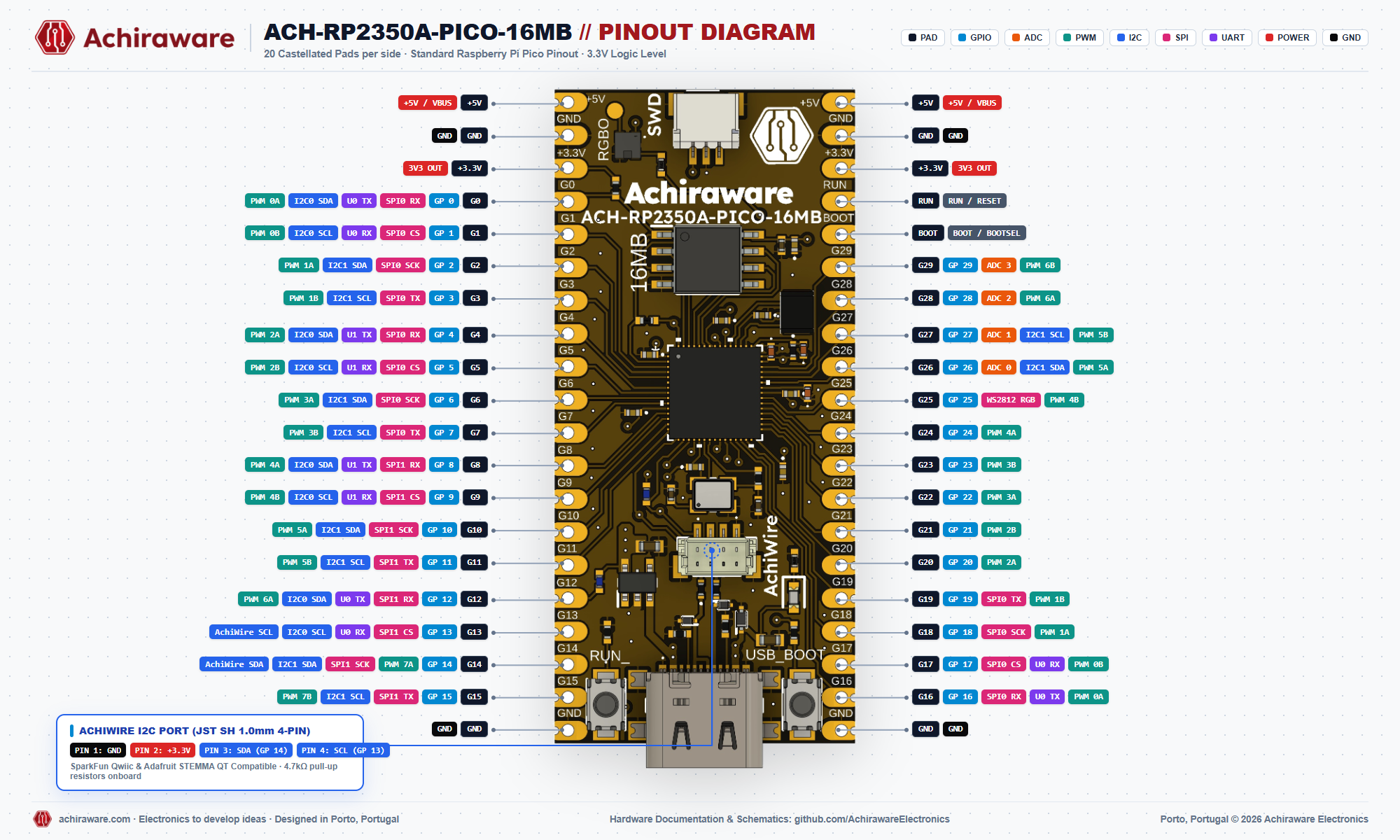
Pinout — GPIO exposed on the headers (2.54 mm)
Viewed with USB-C at the bottom.
| Left pin |
Right pin |
| +5 V |
+5 V |
| GND |
GND |
| +3.3 V |
+3.3 V |
| GPIO0 |
RUN |
| GPIO1 |
BOOT |
| GPIO2 |
GPIO29 |
| GPIO3 |
GPIO28 |
| GPIO4 |
GPIO27 |
| GPIO5 |
GPIO26 |
| GPIO6 |
GPIO25 — RGB LED (WS2812) |
| GPIO7 |
GPIO24 |
| GPIO8 |
GPIO23 |
| GPIO9 |
GPIO22 |
| GPIO10 |
GPIO21 |
| GPIO11 |
GPIO20 |
| GPIO12 |
GPIO19 |
| GPIO13 — SCL (AchiWire) |
GPIO18 |
| GPIO14 — SDA (AchiWire) |
GPIO17 |
| GPIO15 |
GPIO16 |
| GND |
GND |
Arduino (Arduino-Pico)
- Connect the board with a data USB-C cable.
- Install the Arduino-Pico core by Earle Philhower via the Boards Manager.
- Board: Raspberry Pi Pico 2
- Select the correct COM port and upload.
MicroPython
- Download the MicroPython UF2 for RP2350.
- Hold BOOTSEL, connect USB-C → the board mounts as a drive.
- Drag the UF2 file onto the drive. Done.
C/C++ SDK (Pico SDK)
mkdir build && cd build
cmake .. -DPICO_BOARD=pico2
make
Blink — Addressable RGB LED (Arduino)
GPIO 25 · uses SimpleRGBLed (install from Arduino Library Manager).
#include <SimpleRGBLed.h>

SimpleRGBLed led(25);  // GPIO 25

void setup() {
  led.begin();
}

void loop() {
  led.setColor("green");  delay(500);
  led.setColor("red");    delay(500);
  led.setColor("blue");   delay(500);
  led.off();              delay(500);
}
I2C — AchiWire Connector (JST SH 1.0 mm)
4.7 kΩ pull-up resistors on board. Default pins:
- SDA → GPIO 14
- SCL → GPIO 13
#include <Wire.h>

void setup() {
  Wire.setSDA(14);
  Wire.setSCL(13);
  Wire.begin();
  // Your I2C code here
}
GitHub Repository
Hardware design files, schematics, and code examples for the ACH-RP2350A-PICO-16MB.
View on GitHub →

Reviews
There are no reviews yet.